ملاحظاتك ومهامك وكلمات مرورك على سطح المكتب
Your notes, tasks and passwords, right on your desktop
ملاحظات لاصقة لنظام Windows باللغتين العربية والإنجليزية: قوائم مهام بمواعيد وتنبيهات، وتنسيق للنصوص، وملاحظات برمجية ملوّنة، وخزنة كلمات مرور مشفّرة. كل شيء يُحفظ تلقائيًا.
Sticky notes for Windows in Arabic and English: to-do lists with reminders, rich text, colour-highlighted code notes and an encrypted password vault. Everything saves itself.
شاهد البرنامج في دقيقة
See it in one minute
الملاحظات والمهام والتنبيهات والخزنة، كما تظهر على جهازك.
Notes, tasks, reminders and the vault, as they look on your PC.
أهم المميزات
Highlights
كل ما تحتاجه لتنظيم يومك، في برنامج صغير يعمل على جهازك.
Everything you need to organise your day, in a small app that runs on your PC.
المهام
Tasks
نظّم يومك ولا تنسَ موعدًا.
Plan your day, never miss a time.
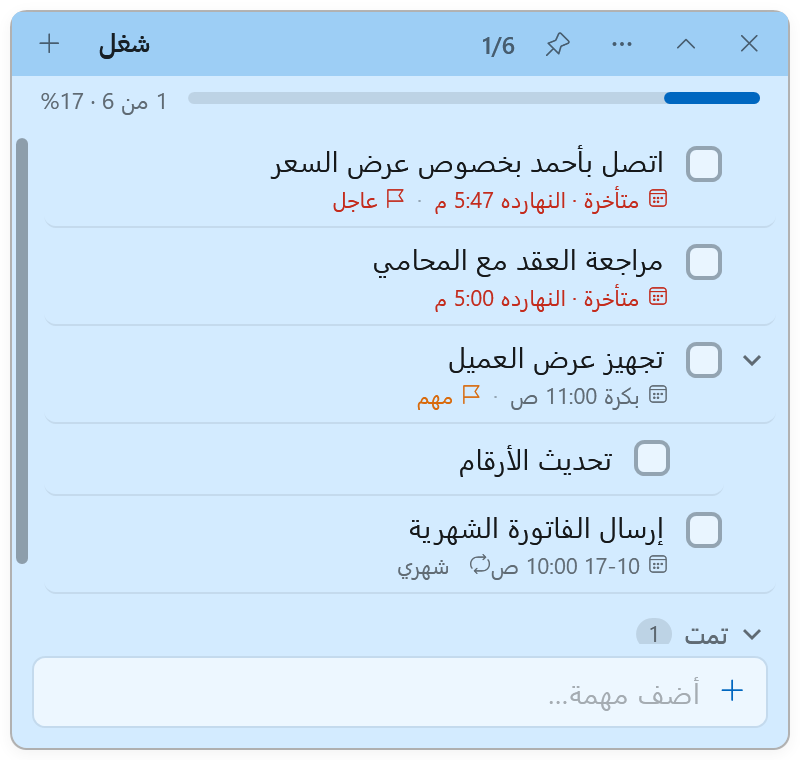
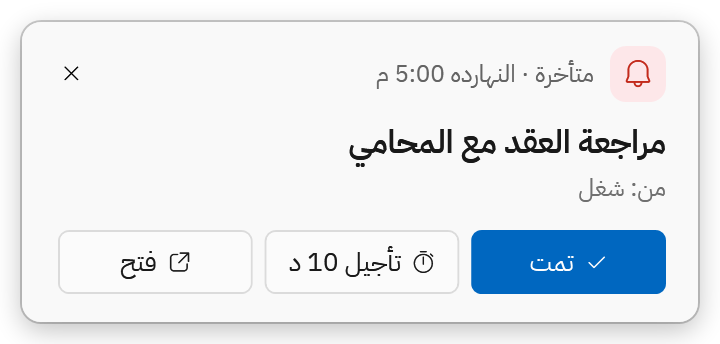
موعد وتكرار يومي أو أسبوعي أو شهري، وتأجيل بضغطة.
Due times, daily/weekly/monthly repeats, snooze in one click.
Tab لمهمة فرعية، وطيّها، وشريط تقدّم لكل قائمة.
Tab for a subtask, fold them, a progress bar per list.
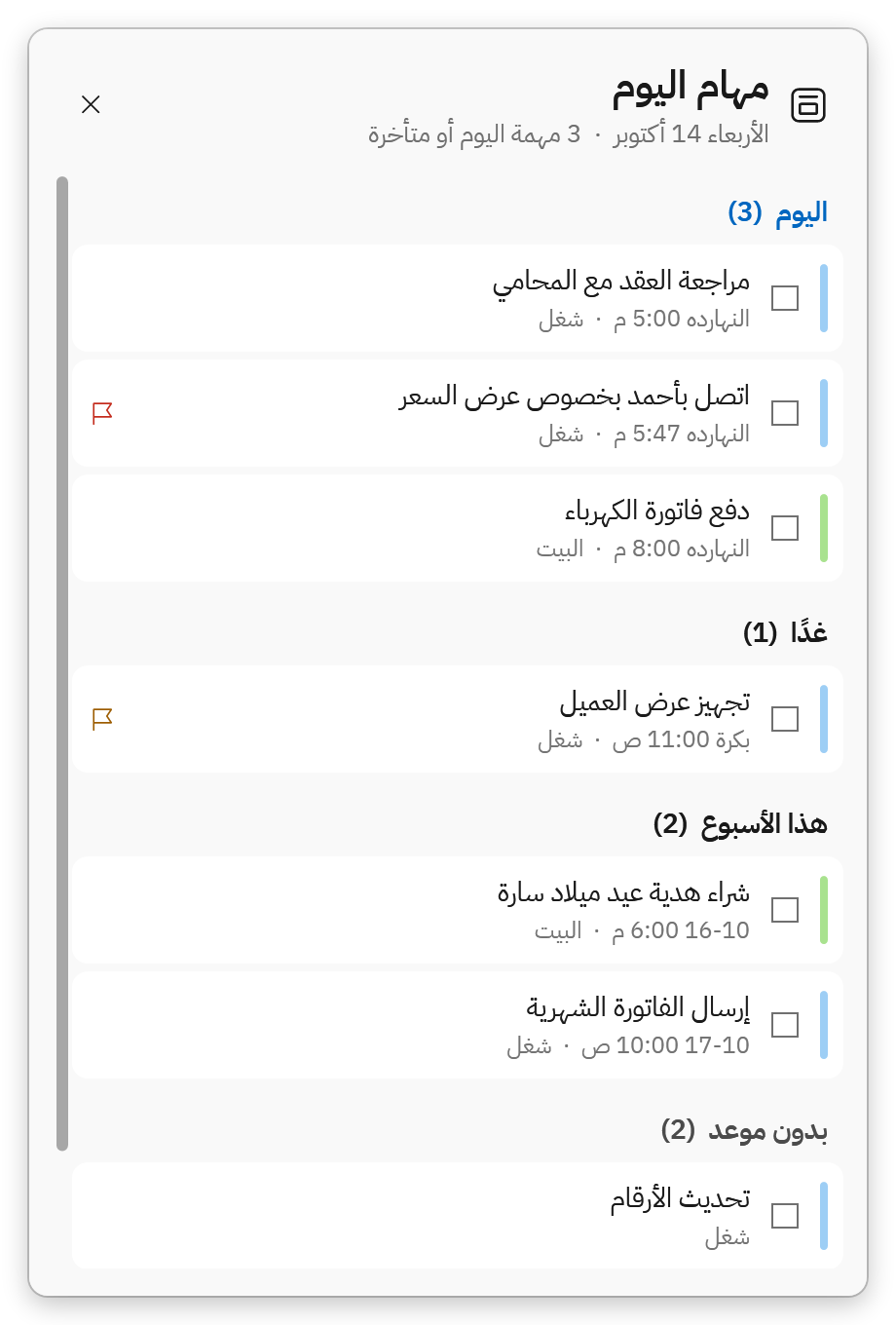
المتأخر واليوم وغدًا من كل قوائمك في شاشة واحدة (Ctrl+Alt+D).
Overdue, today and tomorrow from every list on one screen (Ctrl+Alt+D).
في كل الملاحظات (Ctrl+Alt+F)، وفي الخزنة لنسخ كلمة المرور (Ctrl+Alt+P).
All notes (Ctrl+Alt+F), or the vault to copy a password (Ctrl+Alt+P).
الملاحظات
Notes
اكتب ونسّق واحفظ كل شيء.
Write, format and keep everything.
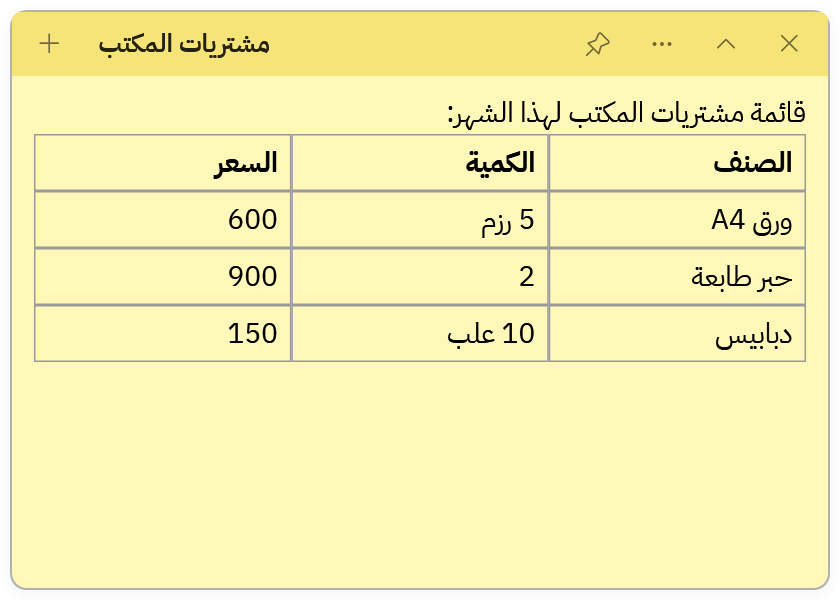
عريض وألوان وعناوين وقوائم، والصق جدولًا من Excel كما هو.
Bold, colours, headings, lists — and paste a table straight from Excel.
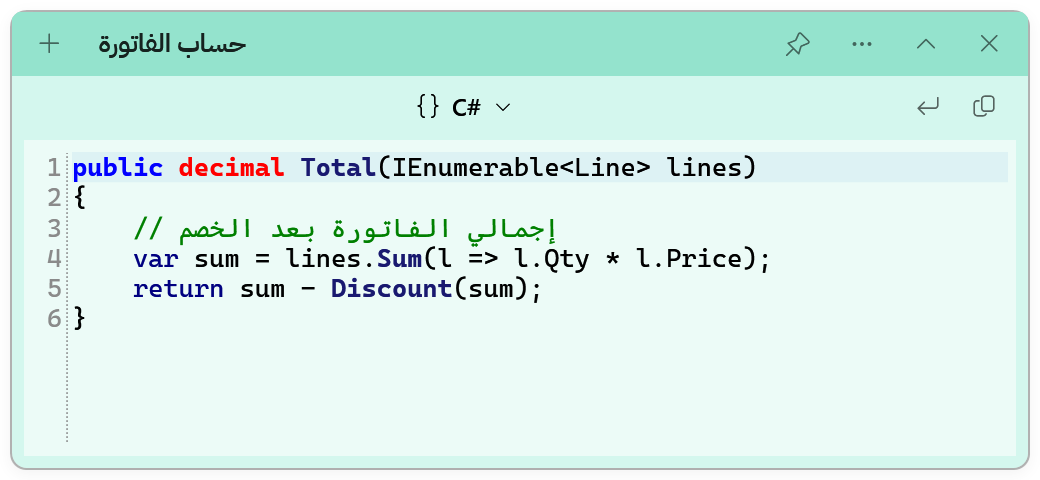
تلوين لأكثر من 20 لغة برمجة، مع ترقيم الأسطر.
Highlighting for 20+ languages, with line numbers.
الصق أو اسحب الصورة، وتصل إلى كل أجهزتك.
Paste or drop a picture; it reaches all your PCs.
اطبع الملاحظة (Ctrl+P)، أو صدّرها Markdown أو نصًا.
Print a note (Ctrl+P), or export it as Markdown or text.
الأمان والمزامنة
Safety and sync
بياناتك محمية ومعك على كل أجهزتك.
Your data, protected and on every PC.
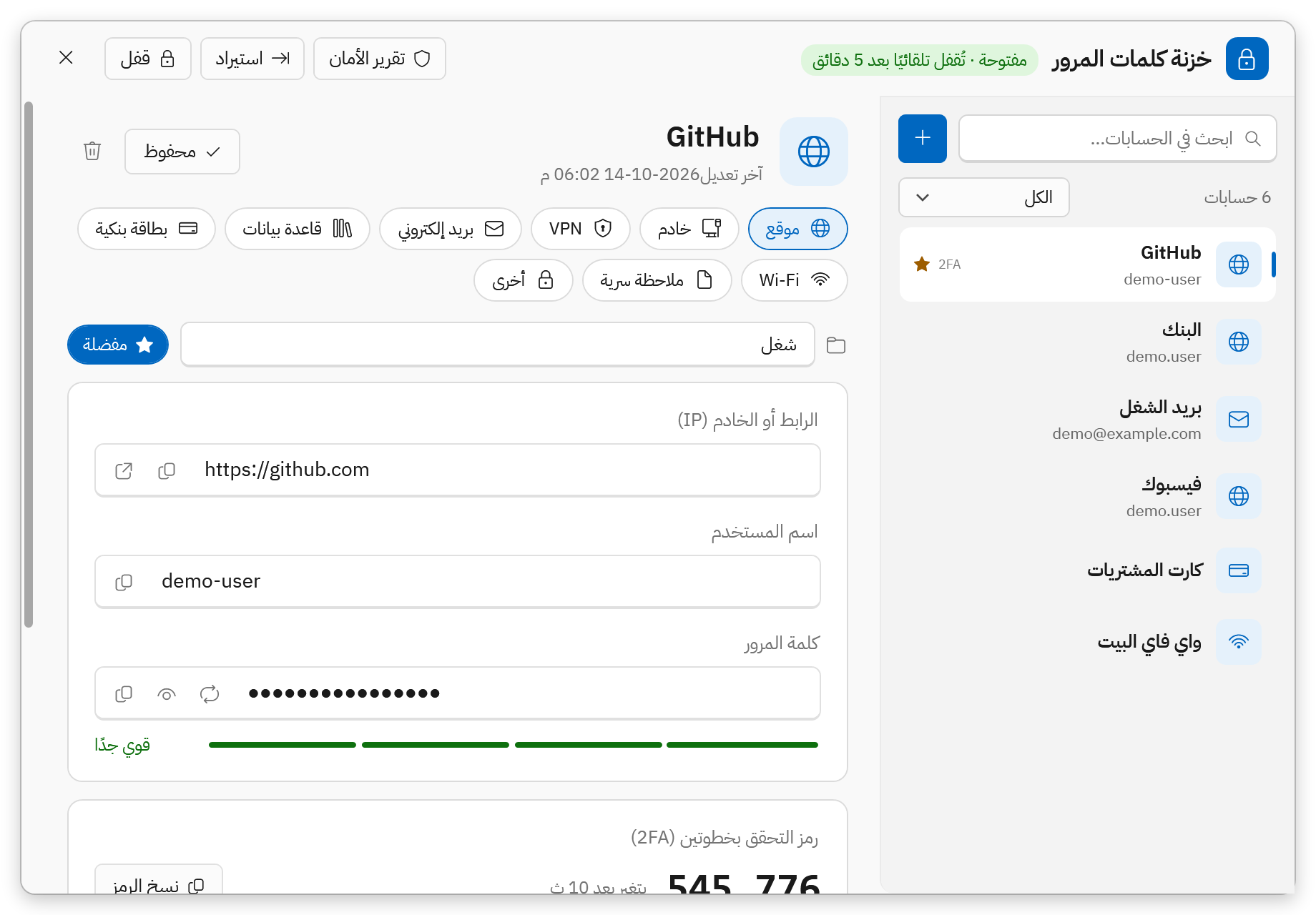
AES-256، ورموز التحقق بخطوتين، وتقرير أمان، وفحص التسريبات.
AES-256, two-factor codes, a security report and breach check.
الملاحظات والمهام والصور والخزنة المشفّرة، واختيارية تمامًا.
Notes, tasks, pictures and the encrypted vault — fully optional.
ارجع لأي نسخة سابقة من الملاحظة، ونسخة احتياطية كل يوم.
Go back to any earlier version of a note; a backup every day.
فاتح أو داكن أو حسب Windows، وتحديث بضغطة لا يقبل إلا ما وقّعناه.
Light, dark or follow Windows; one-click updates that only accept what we signed.
كل ما تدوّنه في مكان واحد
Everything you jot down, in one place
ملاحظة نصية، أو قائمة مهام، أو كود برمجي، وكلها في لوحة واحدة مرتبة في مجموعات ووسوم.
A note, a to-do list or a code snippet, all in one panel, sorted into groups and tags.
اختصارات تعمل من أي برنامج
Shortcuts from any app
ما الجديد
What's new
آخر إصدار، ويصلك تلقائيًا من داخل البرنامج.
The latest version, delivered automatically inside the app.
- إضافة مهمة سريعة من أي برنامج (Ctrl+Alt+A): «أرسل الفاتورة غدًا 10ص !عاجل #عمل» تُضاف بموعدها وأولويتها وقائمتها.
- عرض الأسبوع (Ctrl+Alt+W): عمود لكل يوم يبدأ من السبت، واسحب المهمة إلى يوم آخر لتغيير موعدها.
- لوحة كانبان لكل قائمة: للتنفيذ / قيد التنفيذ / تم، بالسحب والإفلات.
- مؤقت تركيز (بومودورو) لكل مهمة مع الاستراحات، ويُحفظ الوقت المستغرق عليها.
- «خطّط يومك»: اختر مهام اليوم من كل القوائم، مع ملخّص الصباح وإضافة المهمة إلى التقويم.
- Quick add from any app (Ctrl+Alt+A): "Send the invoice tomorrow 10am !urgent #work" lands with its date, priority and list.
- Week view (Ctrl+Alt+W): a column per day; drag a task to another day to move it.
- A Kanban board for every list: to do / doing / done, with drag and drop.
- A focus timer (Pomodoro) on any task, with breaks, keeping the time spent on it.
- "Plan your day": pick today's tasks from every list, plus a morning summary and add-to-calendar.
الخصوصية والدعم
Privacy and support
بياناتك لك، ونحن معك إن احتجت شيئًا.
Your data is yours, and we're here if you need us.
الخصوصية
Privacy
هذا كل ما تحتاج معرفته باختصار.
The short version.
البرنامج يعمل كاملًا دون حساب ودون إنترنت، وملفاتك في %AppData%\StickyNotes.
The app works fully without an account or internet; your files are in %AppData%\StickyNotes.
تُشفَّر بـ AES-256 على جهازك قبل أي حفظ أو مزامنة.
AES-256 on your PC before anything is saved or synced.
لا إعلانات ولا بيع بيانات. حذف الحساب من الإعدادات بضغطة.
No ads, no data selling. Delete your account from Settings.
الدعم
Support
نقرأ كل رسالة، ونراجع المشكلات يوميًا.
We read every message and review problems daily.
من داخل البرنامج: انقر يمينًا على الزر العائم ← «أرسل ملاحظة أو أبلغ عن مشكلة». يمكنك ترك بريدك للرد.
From inside the app: right-click the floating button → "Send feedback or report a problem". Leave your e-mail if you want a reply.
يتحقق البرنامج من الإصدارات الجديدة ويثبّتها بنقرة، دون المساس بملاحظاتك أو خزنتك.
The app checks for new versions and installs them in one click, without touching your notes or vault.
لا اشتراك ولا إعلانات ولا ميزات مقفلة. كل ما تراه في هذه الصفحة متاح لك.
No subscription, no ads, nothing locked. Everything on this page is yours.
أسئلة شائعة
Questions
لم تجد إجابتك؟ أرسل لنا من داخل البرنامج: انقر يمينًا على الزر العائم ← «أرسل ملاحظة أو أبلغ عن مشكلة».
Didn't find your answer? Write to us from the app: right-click the floating button → "Send feedback or report a problem".
هل البرنامج مجاني فعلًا؟
نعم، مجاني بالكامل دون اشتراك أو إعلانات.
لماذا يظهر تحذير من Windows عند التنزيل؟
البرنامج جديد ولم يُوقَّع رقميًا بعد، فيعامله Windows بحذر رغم أن الملف آمن.
- في Edge: مرّر على التنزيل، واضغط «…» ثم Keep ثم Keep anyway.
- في نافذة «Windows protected your PC»: اختر More info ثم Run anyway.
هل يعمل دون إنترنت؟
نعم، كل شيء يعمل على جهازك. الإنترنت مطلوب فقط للمزامنة الاختيارية والتحديثات.
كيف أنقل ملاحظاتي إلى جهاز جديد؟
فعّل المزامنة بحساب مجاني على الجهازين، أو انسخ المجلد %AppData%\StickyNotes إلى الجهاز الجديد.
هل يحذف إلغاء التثبيت ملاحظاتي؟
لا. ملاحظاتك وخزنتك تبقى في %AppData%\StickyNotes حتى تحذفها بنفسك.
نسيت كلمة مرور الخزنة، ماذا أفعل؟
استخدم رمز الاسترداد الذي حفظته عند إنشاء الخزنة. لا يمكن لأحد غيرك فتحها، حتى نحن.
Is it really free?
Yes, completely free, with no subscription and no ads.
Why does Windows show a warning when I download it?
The app is new and not code-signed yet, so Windows is cautious even though the file is safe.
- In Edge: hover the download, click "…", then Keep, then Keep anyway.
- In "Windows protected your PC": choose More info, then Run anyway.
Does it work offline?
Yes, everything runs on your PC. The internet is only needed for optional sync and updates.
How do I move my notes to a new PC?
Turn on sync with a free account on both PCs, or copy the %AppData%\StickyNotes folder to the new one.
Does uninstalling delete my notes?
No. Your notes and vault stay in %AppData%\StickyNotes until you delete them yourself.
I forgot my vault password. What now?
Use the recovery code you saved when you created the vault. Nobody else can open it, not even us.
نزّل «ملاحظاتي»
Get My Notes
مجاني لنظام Windows 10 و11. لا يحتاج صلاحيات المسؤول، ويمكنك اختيار مكان التثبيت.
Free for Windows 10 and 11. No administrator rights needed, and you choose where to install.
ظهر تحذير من Windows؟ هذا طبيعي، وإليك الحل.
Seeing a Windows warning? That's expected, here's what to do.
- شغّل ملف التثبيت واختر مكان التثبيت
- اختر أيقونة سطح المكتب والتشغيل مع Windows إن أردت
- ستجد الزر العائم بجوار الساعة
- Run the setup and choose where to install
- Pick a desktop icon and start-with-Windows if you like
- Find the floating button near the clock